
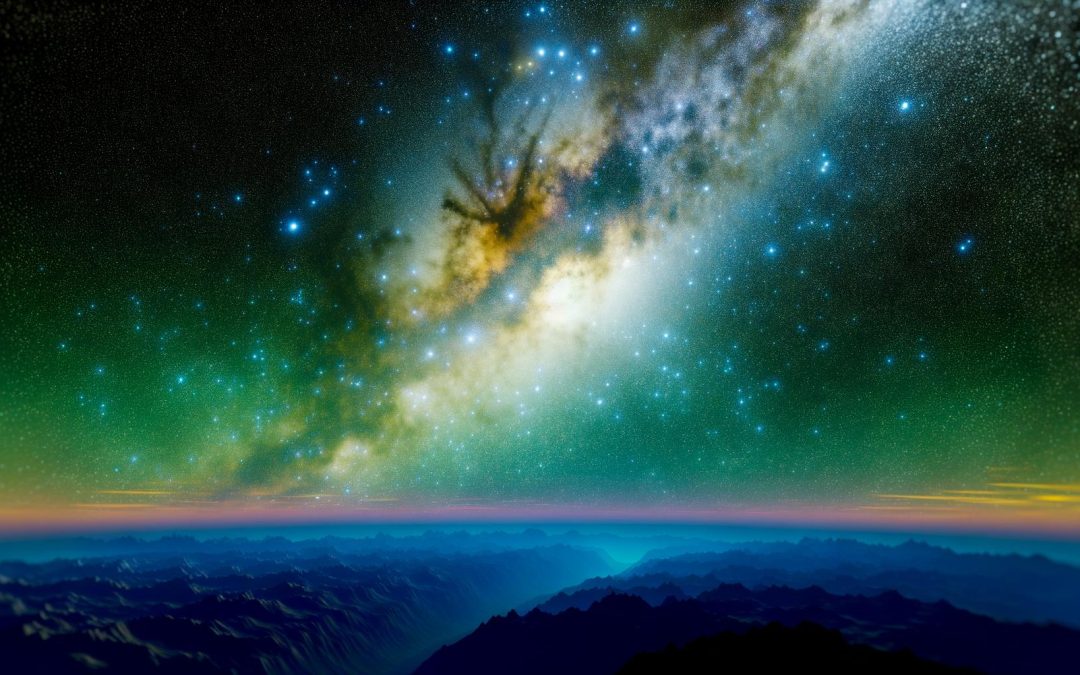
Uncover the magic of the cosmos with Pixel 10 astrophotography. Explore how this device, combined with expert techniques, can capture stunning views of stars, the Milky Way, and breathtaking night skies. Empower your photography by leveraging these cutting-edge methods for celestial captures.
Getting Started with Pixel 10 Astrophotography
The night sky has a rhythm all its own.
With the Pixel 10, capturing that dance becomes more accessible than you might have thought. Imagine standing beneath a canopy of stars, your phone effortlessly capturing the celestial splendour. Start by choosing the right spot, away from city lights. Light pollution can be a real hurdle, diminishing the beauty of your shots. Finding a secluded location is key.
Weather is another part of this equation. Clouds can thwart your plans, turning a promising night into a blur of grey. Clear skies are essential, so a quick check of the forecast saves a lot of effort. You know how it is, sometimes things just don’t go as planned.
The Pixel 10’s astrophotography capabilities depend not just on conditions, but on the right settings. Discovering the manual settings is like exploring a new city: a bit daunting yet thrilling. Tweak ISO sensitivity and shutter speed, find what works for the stars and the Milky Way alike.
Look, I’ve had experiences where I spent hours fiddling, before learning what worked best. It’s a process, but isn’t that part of the fun?
For more tips on settings and capturing truly breathtaking photos, check this guide on maintaining sharp focus. It can enrich your understanding.
Remember, each session refines your skills, getting you closer to that perfect shot.
Understanding Night Sight Mode
Night Sight mode makes the Pixel 10 a standout in low-light photography.
The essence of night-time photography is capturing those elusive details shrouded in darkness. Night Sight mode brings out the intricacies hidden within dimly lit scenes. It uses advanced algorithms to brighten your images without making them appear fake or overly edited. The result? Photos that keep their authentic charm, even under a starlit sky.
Technical specs place Night Sight mode on a pedestal. The large sensor paired with machine learning ensures sharpness in each shot, even when handheld. But to capture stars, you’d want a sturdy tripod to keep things steady. Also, fiddling with exposure settings can enhance clarity. Play with it, see what works. Sometimes a longer exposure captures more of that cosmic wonder.
Want incredible pictures of stars? Night Sight makes it simpler but try adjusting the white balance, letting you maintain the natural hue of celestial bodies. And when shooting the Milky Way, a bit of patience adds magic. Let the longer exposure work its miracle.
Curious about snapping those distant planets? It’s easy. Get creative, play around, and see where it takes you. Check out this guide to refine your skills. Sometimes, just shifting a setting or two is all that’s needed to unleash potential.
We’re exploring another perspective of astrophotography, not through a traditional lens, but from right in your pocket.
Capturing Stunning Star Trails
Capturing star trails with the Pixel 10 can be both breathtaking and rewarding. To start, you need to stabilise your phone, so grab a sturdy tripod. Let’s face it, nobody wants a wobbly shot when trying to capture the divine dance of the stars.
It’s all about technique and patience. The Pixel 10 doesn’t just automatically do all the work, you’ll need to experiment with exposure settings. We’re talking about long exposures here, often upwards of 30 minutes. This is where your ability to compose comes into play. Frame the shot anticipating the earth’s rotation, and consider using landmarks or trees to add drama and scale.
Many opt for apps like NightCap Camera for iOS or similar Android tools, allowing for manual exposure adjustments. Don’t rush it though. We’re talking tiny adjustments in the camera settings to avoid overexposing. A little trial and error goes a long way.
And, oh, I almost forgot. Composition tips can be found amidst various guides. For instance, check out the article on photography composition techniques that work, it’ll give that extra edge to your setup.
Remember, the night sky is vast, unpredictable, and weirdly comforting. It challenges you to freeze a moment of time, just in the mesmerising arc of stars. In the end, are we not all looking for our place among the constellations?
Photographing the Milky Way
The Milky Way is a stunning sight to capture with the Pixel 10.
Timing is everything when it comes to photographing this celestial wonder. The best months for this cosmic choreography are usually April through October, when the nights are darkest and the Milky Way stands out against the night sky. You might find yourself planning late-night or pre-dawn adventures to make the most of the stellar spectacle. It’s perhaps worth braving the early hours to witness such beauty.
Long exposures are your best friend in bringing the Milky Way to life. Setting your Pixel 10 to a manual mode lets you tinker with the shutter speed. A longer exposure can help to emphasise the faint light from our galaxy’s stars, but be cautious not to overdo it. Trial and error, combined with patience, often yield the best results.
The Pixel 10 has remarkable features, like enhanced night sight capabilities, which are perfect for capturing the nuanced glow of the Milky Way. One can’t help but get excited. Perhaps it even inspires more night-time treks!
To delve deeper into how to fully embrace astrophotography, see this guide about choosing the right equipment. Each shoot adds to the experience, revealing new depths in the serene vastness of the night sky.
Enhancing Your Photos and Sharing
Astrophotography on the Pixel 10 is a thrilling pursuit.
The stars stand out beautifully, but even the best captures sometimes need a bit of tweaking. Editing these stellar images, particularly those of the Milky Way, can make your shots truly mesmerising. Start by using Lightroom, which is excellent for adjusting exposure, contrast, and noise reduction. This app is user-friendly and can transform your pictures dramatically.
It’s vital to find the right balance—enhance the stars’ brightness but keep the sky’s natural darkness. Be cautious not to overdo it; you want your photo to maintain an authentic feel. As you edit, bear in mind the story your photo tells.
Sharing your celestial creations on social media can connect you with a passionate community. Try using hashtags like #NightPhotography or #Pixel10Astro. This not only provides you with feedback but also inspiration from others.
For personalised coaching to elevate your night sky captures, reach out here. Tapping into this mentorship can unlock tips and tricks you didn’t even know you needed. Photographers, after all, thrive on shared experiences and a little guidance.
Final words
Empower your photography journey with the Pixel 10. By mastering its astrophotography features, you can capture breathtaking night skies. Use this guide to refine your skills and share your celestial imagery. Your adventure into the cosmos begins now.